Hey friends,
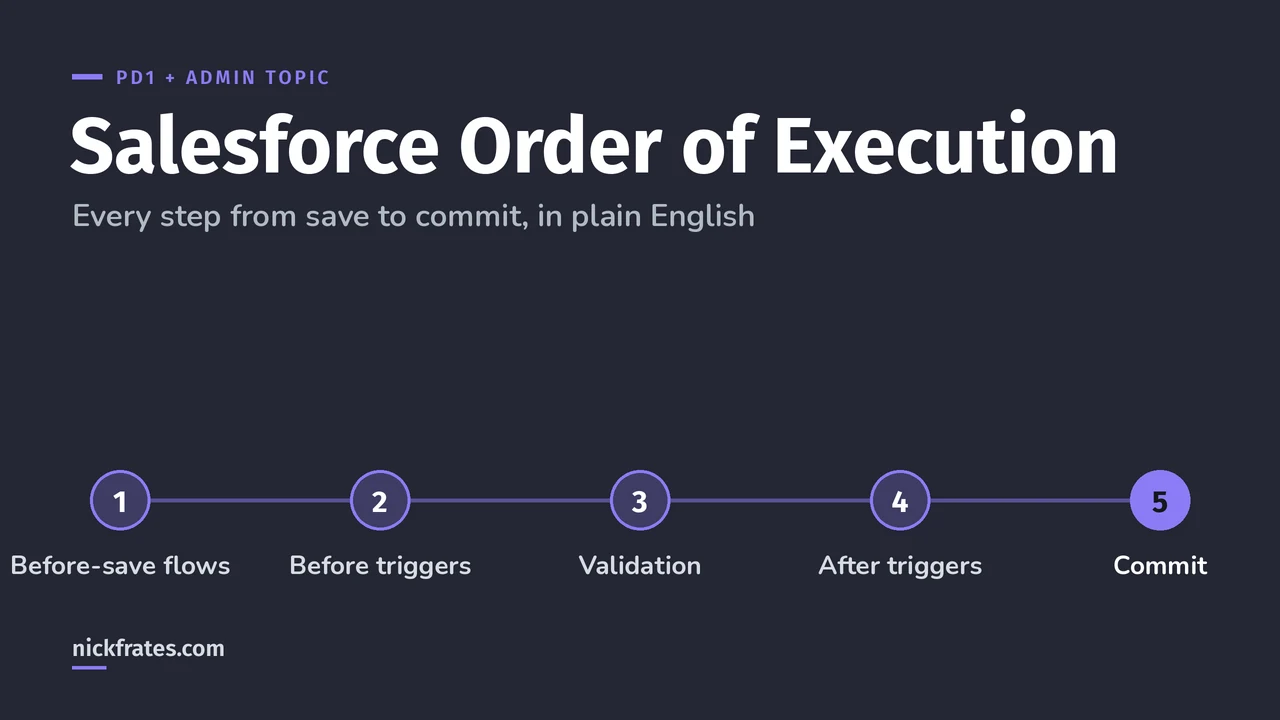
When a record is saved, Salesforce runs before-save flows, then before triggers, then validation rules, then duplicate rules, then saves (without committing), runs after triggers, assignment and escalation rules, then after-save flows, roll-ups and sharing, and finally commits. Email and async work run after the commit. That's the short version of the 20 steps in the Apex Developer Guide.
PD1 asks you to explain the order of execution, and so does the Admin exam's Automation section. Everything below follows the Triggers and Order of Execution page of the Apex Developer Guide, Winter '27 version.
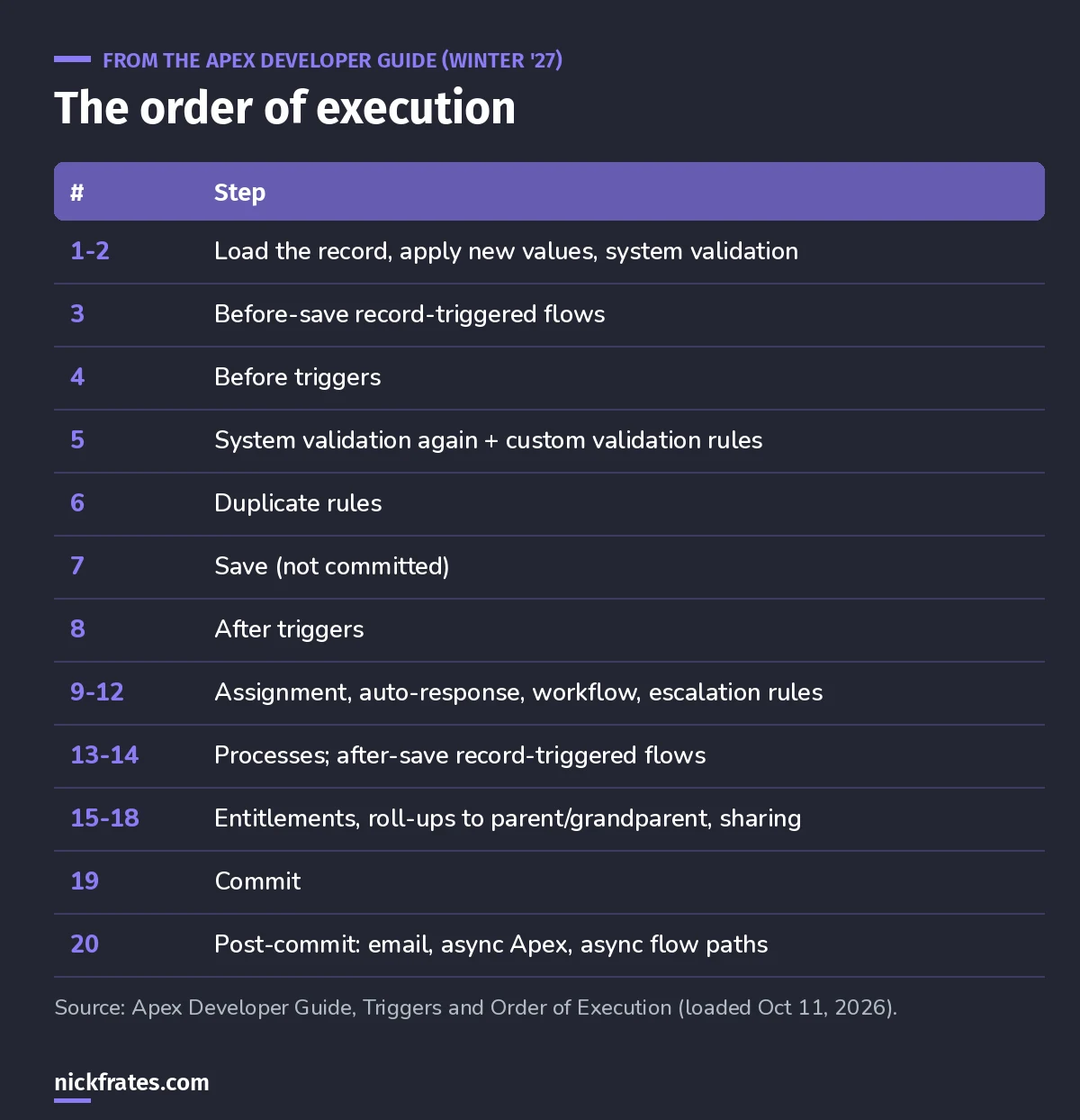
Save this one.
All 20 steps, in plain English
- Loads the original record from the database, or initializes it for an upsert.
- Loads the new field values and runs system validation. What gets checked depends on where the save came from: the standard UI checks layout-required fields, field formats and lengths; Apex and the API check foreign keys, formats, lengths and restricted picklists.
- Runs record-triggered flows set to run before the record is saved.
- Runs all before triggers.
- Runs most system validation again (like required fields) and runs your custom validation rules. Layout-specific rules are the only check not rerun.
- Runs duplicate rules. A blocking rule stops everything here.
- Saves the record to the database, but doesn't commit yet.
- Runs all after triggers.
- Runs assignment rules.
- Runs auto-response rules.
- Runs workflow rules. A workflow field update saves the record again and fires before and after update triggers one more time (only one more time).
- Runs escalation rules.
- Runs Process Builder processes and flows launched by workflow rules, in no guaranteed order.
- Runs record-triggered flows set to run after the record is saved.
- Runs entitlement rules.
- Updates roll-up summaries and cross-object workflow on the parent, which goes through its own save.
- Does the same for the grandparent if needed.
- Runs criteria-based sharing evaluation.
- Commits all DML to the database.
- Runs post-commit logic, in no particular order: sending email, enqueued async Apex (Queueable and future), and async paths in record-triggered flows.
Cert Lab by Nick Frates
Practice order-of-execution questions
The Platform Developer Cert Lab covers triggers, the order of execution and governor limits with practice questions that explain every option.
Start the PD1 Cert Lab, $9.99 →Why it matters in real orgs
- Same-record field updates belong before save. A before-save flow (step 3) or before trigger (step 4) changes the record before it's saved, with no extra DML.
- Validation rules run after before triggers. A before trigger can fill a field that a validation rule then checks.
- After triggers can see the record Id, because the record has been saved (step 7). That's where you create related records.
- Email and async work wait until commit. If the transaction rolls back, the email never goes out.
Notes from the guide that show up on exams
- Multiple triggers on the same object and event run in no guaranteed order. That's one reason for one trigger per object.
- During a recursive save, steps 9 to 17 are skipped.
- After a workflow field update,
Trigger.oldstill holds the record from before the first update. - With partial-success DML, triggers fire again on the retry, and static variables aren't reset.
- In API version 53.0 and earlier, after-save flows ran after entitlements. Today they run before.
Practice question
A before trigger sets Region from the billing state, and a validation rule requires Region. Will a record with a billing state but no Region save?
Answer: yes. The before trigger (step 4) runs before custom validation rules (step 5), so Region is already set when the rule checks it.
Keep studying
- Governor limits cheat sheet.
- Apex trigger best practices.
- Before-save vs after-save flows.
- Flow for the Admin exam.
Cert Lab by Nick Frates
Get the Platform Developer Cert Lab
Lessons, practice questions and flashcards for every PD1 exam section.
Start the PD1 Cert Lab, $9.99 →Hope this helps!
Best,
Nick